Many people, especially laptop users, often use USB hubs and docking stations to expand the functionality and ports of their computers. Although they have similar functions and appearances at first glance, it can be confusing to choose which product is better for your needs. This article will discuss the differences between USB hubs and docking stations and the factors you need to consider when choosing.
What is a USB Hub?
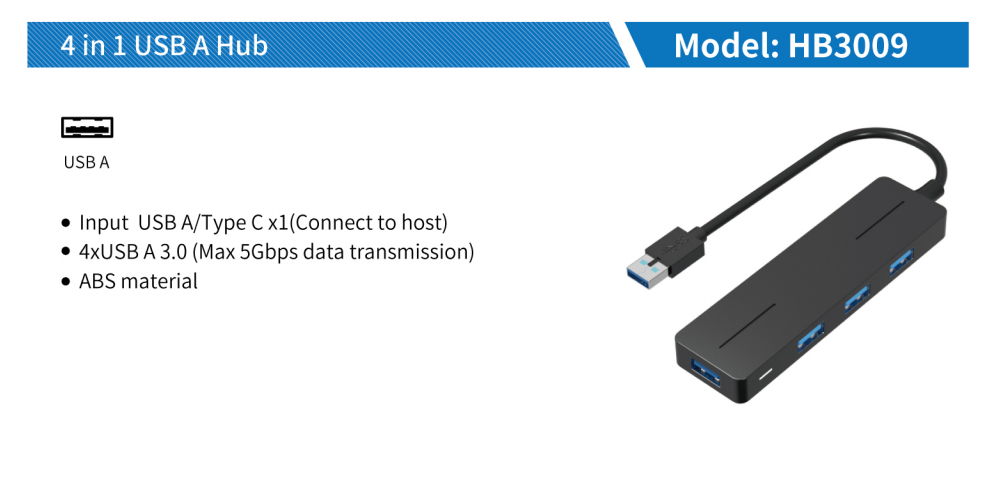
Laptops typically have fewer ports than desktop computers. This is where USB hubs come in handy. A USB Hub is an accessory used for extending additional ports so you can plug more devices to your computer. Typically, it comes with USB-A ports that connect peripherals like keyboard, mouse, and flash drive. There are also other hubs with Ethernet ports, HDMI, and even USB-C ports as an upgrade.
What is a Docking Station?
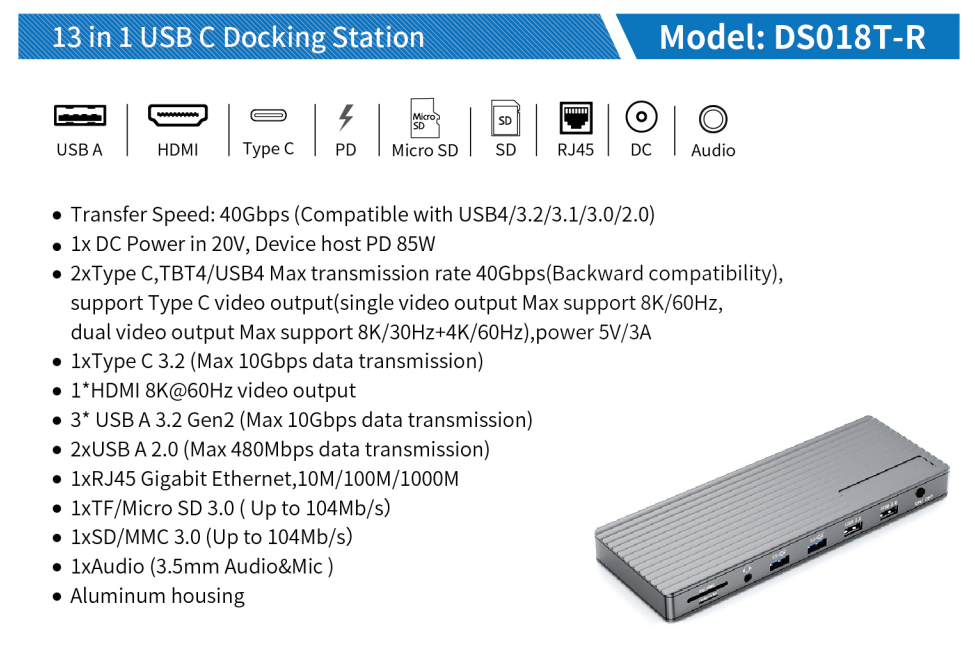
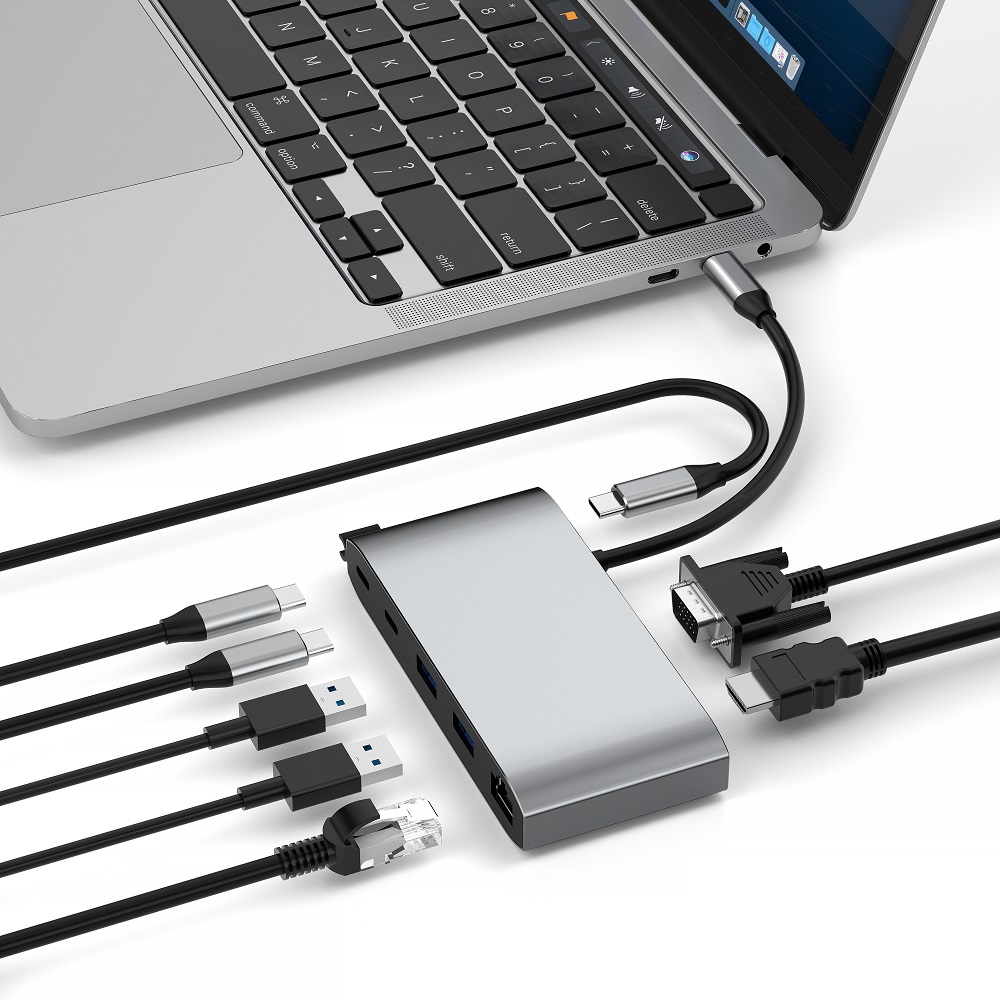
Similar to a USB Hub, a Docking Station is primarily used to connect multiple devices. It is best used when you wish to convert your laptop into a workstation. Docking stations are a great option for those who wish to convert their laptops into a workstation, since it has a variety of ports that also enable you to connect multiple displays, as opposed to a USB-hub. There are USB-C docking stations, where it holds USB-C ports that many devices cater to these days.
USB Hub vs. Docking Station: Which is Right for Your Needs?
So, you’re thinking about using a USB hub or a docking station. The former is more sleek, lightweight, and portable. Meanwhile, the latter is typically for stable office or workstation setups. But which of these two is right for your needs?
There are several factors you need to consider. Check out which would be best for you.
1. Adding an extra monitor: If you need to connect an extra monitor, a docking station is a better choice. High-quality docking stations can achieve a multi-monitor setup and improve work efficiency.
2. A variety of connection ports: Both docking stations and USB hubs offer multiple ports, but docking stations have a wider variety of ports, including HDMI, VGA, etc., which can meet more connection needs.
3. Best-in-class resolution: The latest docking stations support HD, 3D, 4K and even 8K resolutions, providing clear and rich display effects. This is very important for users who need to deal with high-resolution images and videos.
4. Device charging: Both USB hubs and docking stations support charging functions, but docking stations are usually equipped with USB-C PD charging ports, which can power devices such as laptops and smartphones.
5. Audio support: Docking stations usually come with auxiliary ports, which can connect speakers to provide a better audio experience. USB hubs usually do not have this feature.
6. Wired network: Despite WiFi Internet, wired network connections are still more stable and faster. Docking stations usually come with Ethernet ports for convenient LAN connections. USB hubs with Ethernet ports are less common in the market.
To sum up, choosing a USB hub or a docking station depends on your specific needs. If you need to connect multiple devices and displays and focus on stability and clarity, then a docking station is a better choice. If you need a lightweight, portable device to expand ports and charging functions, then a USB hub may be more suitable for you.