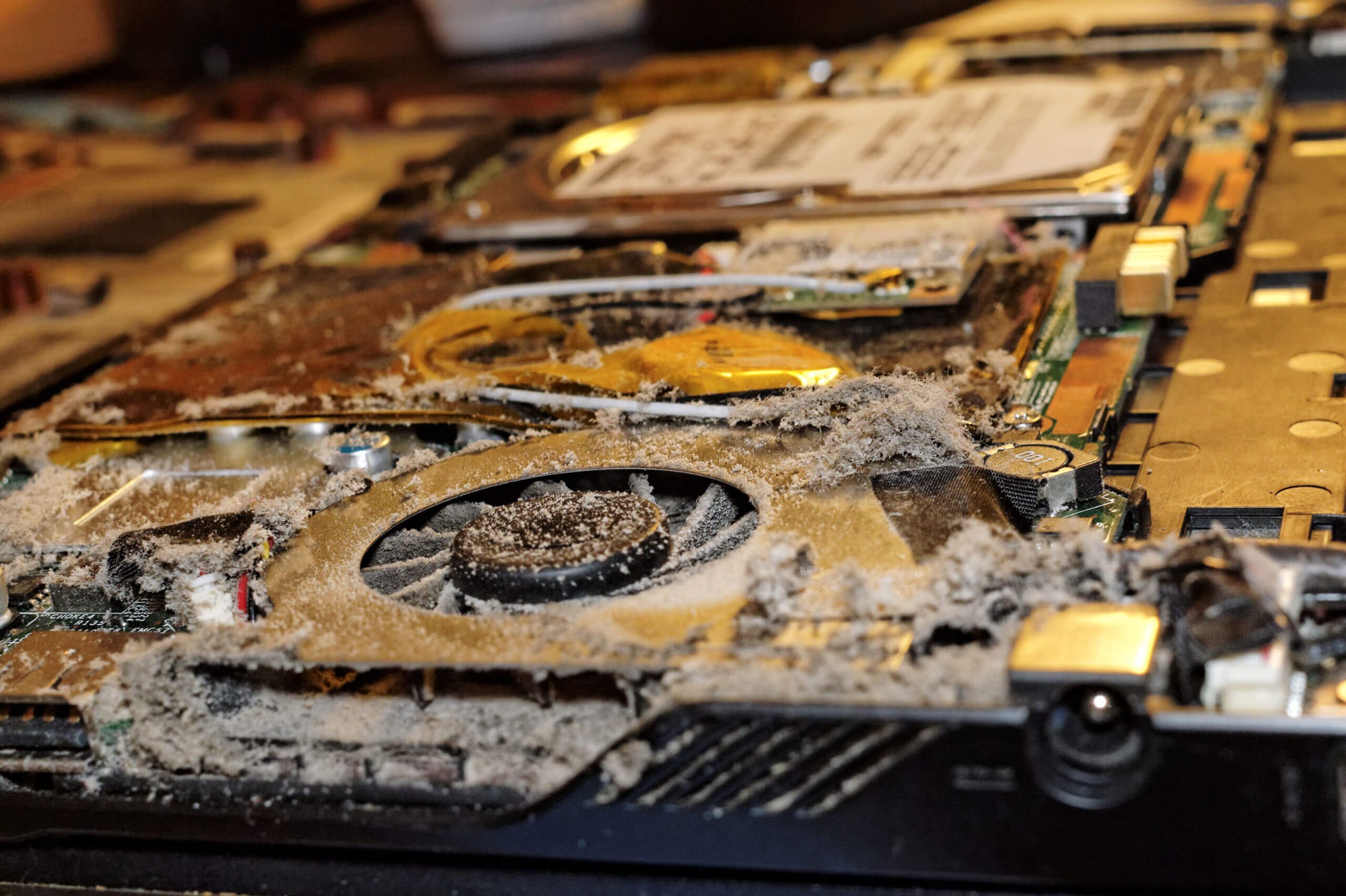
Overheating Issues Originate from Multiple Synergistic Factors.The core cause lies in the design flaws of the cooling system—most laptops adopt compact thermal structures where dust accumulation blocks airflow pathways, preventing heat from being effectively expelled. For instance, when CPUs and GPUs operate under high loads (e.g., video editing, large-scale gaming), they generate substantial heat. If the cooling module ages or thermal paste dries/cracks, heat cannot be rapidly transferred to the heatsink. Environmental temperature also plays a critical role: summer heat reduces cooling efficiency, while placing the laptop on soft surfaces like sofas or bedding further obstructs intake vents, forcing the fan to overwork and creating a vicious cycle of "hotter→noisier→hotter". At the software level, unoptimized background processes, outdated drivers, or power management modes (e.g., "Best Performance") force hardware to maintain high power consumption states, exacerbating heat generation.
Systemic Measures Required to Address Overheating
Start by optimizing the usage environment: ensure the laptop rests on a hard surface (e.g., desk), avoid blocking bottom/side vents, and clean cooling vents regularly with compressed air. Every 3-4 months, disassemble the device to inspect fan dust buildup and replace thermal paste or thermal pads if necessary. Hardware monitoring tools (e.g., HWMonitor) can track CPU/GPU temperatures in real time; immediate action is needed if temperatures exceed 85°C.
At the software level, adjusting power management to "Balanced" mode reduces hardware power consumption. Disabling auto-overclocking features like Intel Turbo Boost or AMD Precision Boost minimizes heat without compromising core performance. Driver updates are equally crucial—abnormal GPU drivers may cause sustained high GPU loads, while BIOS updates can optimize fan scheduling strategies for better cooling efficiency. For older devices, insufficient memory or battery degradation (over 30% capacity loss) indirectly contributes to heat; monitor memory usage via Task Manager or generate battery reports to assess health.
Preventive Maintenance as Long-Term Protection Monthly disk defragmentation, quarterly cooling module cleaning, and avoiding prolonged usage in high-temperature environments are recommended. If overheating persists after these steps, consider hardware faults like damaged fans or swollen batteries, requiring professional inspection.
Overheating not only impairs performance but also shortens hardware lifespan. By combining environmental optimization, hardware maintenance, and software tuning, temperature control can be effectively achieved, ensuring stable device operation. Mastering these methods extends laptop longevity and enhances daily usage experiences, enabling "cool productivity and efficient creativity".









