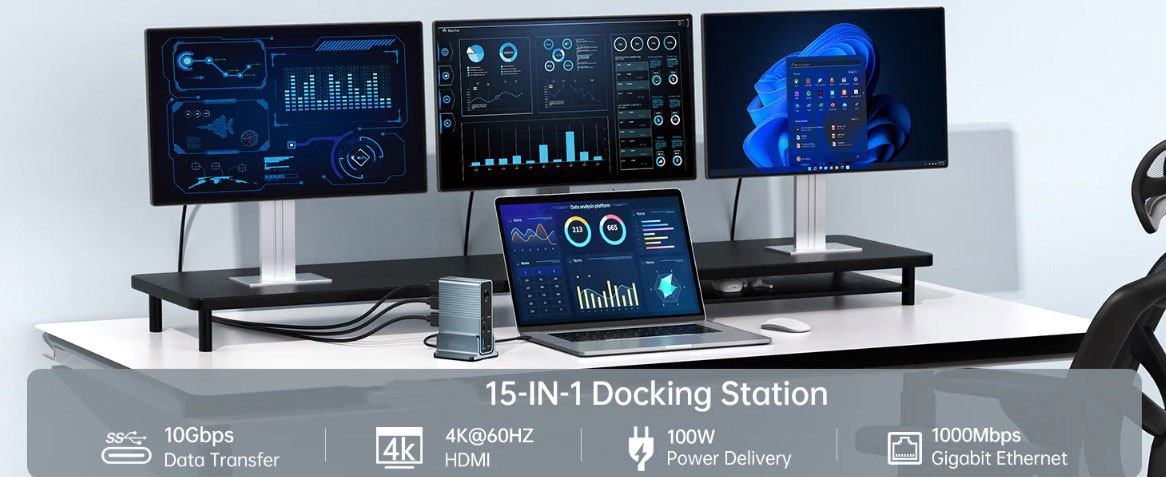
In today's digital age, versatility and convenience have become important criteria for measuring device connection technology. The USB-C port stands out with its universal connector characteristics, which not only enables seamless transmission of high-resolution video and clear audio, but also completes power supply and USB data transmission through a single interface. However, what is little known is that behind the video output function of the USB-C port, there is a super technology called DP Alt Mode.
What is DP Alt Mode?
DP Alt Mode, or DisplayPort Alternate Mode, is an innovative alternative working mode of the USB Type-C (USB-C) interface. It gives the USB-C interface the ability to transmit DisplayPort (DP) video signals, allowing devices to easily connect to external displays without relying on a separate full-size DP interface, greatly simplifying the device connection process. This technology was launched by the Video Electronics Standards Association (VESA) in 2014 to promote the standardization and convenience of display technology.
How DP Alt Mode Works and Benefits
How it Works
Traditional USB-C ports and cables are mainly used to transmit power and data required for USB communication, and cannot output video natively. The emergence of DP Alt Mode breaks this limitation. Devices that support this mode can natively transmit DP protocol signals from the USB-C port to achieve seamless integration of USB-C and DP functions. This means that users only need a compatible USB-C cable to connect DisplayPort monitors, projectors, or other compatible devices to USB-C devices and enjoy high-quality video and audio output.
Significant Benefits
Seamless video output: With DP Alt mode, users can directly connect USB-C ports to compatible display devices without additional adapters or converters, simplifying the connection process and avoiding the clutter of multiple cables.
High-quality video and audio: DP Alt Mode takes full advantage of DisplayPort technology to ensure high-resolution video output and excellent sound quality. Whether watching movies, playing games, or handling graphic-intensive tasks, users can enjoy clear and sharp visuals, vivid colors, and immersive sound effects on a larger screen.
Increase productivity: For professionals who need more screen space for multitasking, video editing, or graphic design, DP Alt mode can expand desktop workspace or mirror device screens to larger displays to improve work efficiency.
Wide compatibility: Although DP Alt mode is an optional feature, it is gradually becoming standard on many devices, including laptops, tablets, and smartphones. This compatibility ensures that users can easily connect their devices to a variety of monitors, projectors, and TVs, regardless of manufacturer or model.
Future-proof connectivity: As technology continues to evolve, USB-C and DP Alt Mode provide future-proof connectivity options. Users can rest assured that their devices will be compatible with the latest display technologies, allowing them to fully realize the potential of emerging innovations in the coming years.
Relationship between DP Alt mode and USB-C
While DP Alt mode and USB-C are closely related, they are not the same concept. USB-C is a connector standard that provides a universal interface for connecting a variety of devices and supports fast data transfer, power supply, and audio/video signal transmission. DP Alt mode, on the other hand, focuses on display functionality through the USB-C interface, allowing users to use the USB-C port as a display output port, providing greater flexibility and convenience.
It should be noted that not all USB-C ports or cables support DP Alt mode. DP Alt mode compatibility depends on the design and configuration of specific devices and cables. Therefore, when selecting a USB-C cable, users should ensure that it supports DP Alt mode and check the cable packaging, product description, or manufacturer's specifications to confirm compatibility.
Selection and considerations for DP Alt mode cables
Cable selection
To ensure compatibility with DP Alt mode, users should choose USB-C cables designed for this function. These cables are rigorously tested to meet the high bandwidth and signal integrity requirements required for video transmission. On some USB-C cables, users may see the DisplayPort logo or the words "DP Alt Mode", which indicate that the cable has been fully tested and verified to support DP Alt mode.
Notes
Compatible on both ends: Both ends of a USB-C to USB-C cable must support DP Alt mode to successfully transmit video. If the device or display does not support DP Alt mode, video will not be output even with a full-featured cable that supports DP Alt mode.
Latest standard support: The latest USB standard, USB4, incorporates the features of Thunderbolt 3 and improves data transfer speed and compatibility. Both USB4 and Thunderbolt 3 support DP Alt mode, ensuring that Thunderbolt 3 certified USB-C cables are also compatible with DP Alt mode. In addition, Thunderbolt 4 and Thunderbolt 5 also support DP Alt mode, providing users with a wider range of choices.
Conclusion
DP Alt Mode is an advanced technology developed by the Video Electronics Standards Association (VESA) that supports the transmission of DP signals over the USB-C connector, greatly enhancing the convenience, versatility, and performance of the connection. Understanding what DP Alt Mode is, how it works, and ensuring compatibility with cables and devices are key steps to fully realize its potential. Whether it's work, entertainment or crea-tive creation, DP Alt mode can achieve smooth high-quality video output and bring a more excellent user experience. Unleash the power of DP Alt mode now and experience a new level of connection experience!