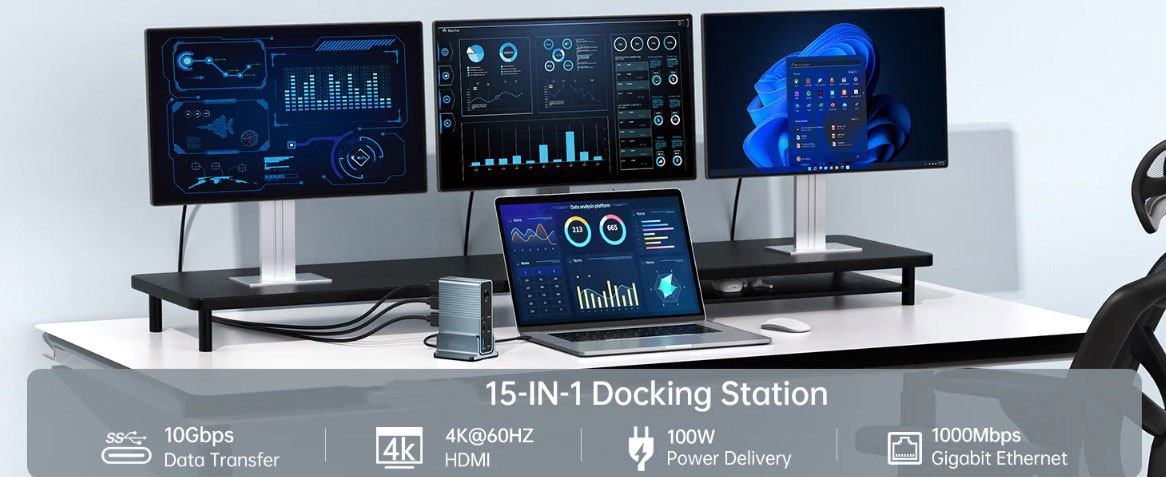
In the modern business world, the connection of digital resources is of utmost importance, and this is even more so for small businesses run by one or two people. The USB-C hub is becoming an indispensable tool for such enterprises. What exactly is a USB-C hub, and how does it play a crucial role?
How USB-C Hubs Work
USB-C, also known as USB Type-C, is an interface for both data and power transmission. As a standard charging interface, it can be used with any device or power source that adopts the USB-C standard. If your computer has only one USB-C port, a USB-C hub can transform it into multiple regular USB ports, an HDMI port, an Ethernet port, an SD card slot, and more.
Nowadays, stylish, portable, and practical USB-C hubs meet the needs of digital nomads. They can convert a single USB-C port into multiple ports, allowing you to connect various devices simultaneously, ranging from additional monitors and storage devices to cameras and even other PCs.
Advantages of USB-C Hubs for Small Businesses
Boosting Productivity
For small business owners, USB-C hubs offer significant advantages in terms of efficiency improvement. Since they can connect multiple devices simultaneously, there's no need for frequent plugging and unplugging. You can connect multiple USB-C devices, such as monitors, keyboards, mice, printers, and even phone chargers, to your laptop via the hub. This simplified connection method saves time and enhances output.
Moreover, USB-C hubs support high-speed data transmission, typically up to 10Gbps. Large file transfers are common in many businesses, making this feature extremely valuable. With a USB-C hub, handling massive design files, complex spreadsheets, or high-definition video files becomes a breeze.
Enhancing Mobility
In today's era, businesses are less and less constrained by geographical location. Business owners and their teams need to stay connected and work efficiently even while on the move more than ever before. USB-C hubs cater to this growing trend of mobility.
They are designed to be compact and lightweight, making them easy to carry. Business owners can set up a temporary workstation almost anywhere, whether it's a coffee shop, a client's office, or a hotel room, using a laptop and a USB-C hub. Simply connect the necessary peripheral devices, and a mobile office is ready to go. This portability not only supports mobile work but also promotes the increasingly popular flexible work arrangements.
Offering Cost-Effectiveness
For small business owners with tight budgets, cost-effectiveness is a crucial consideration. USB-C hubs provide an affordable solution to upgrade the connection options of existing devices without having to purchase new hardware.
You don't need to invest in high-end laptops or desktops equipped with various ports. Instead, you can buy a USB-C hub with similar functions at a much lower price. This cost-benefit analysis is especially important for small businesses as it helps them optimize their financial resources without compromising operational efficiency.
Providing Forward Compatibility
The USB-C interface, capable of transmitting both power and high-speed data simultaneously, is rapidly becoming the standard for all devices. By adopting USB-C hubs, small businesses can gain an advantageous position in this technological transformation and ensure that their hardware is compatible with emerging technologies.
In other words, investing in USB-C hubs now can save business owners from potential costs associated with upgrading or replacing existing hardware in the future to keep up with the latest technology.
Factors to Consider When Small Businesses Choose USB-C Hubs
Choosing the right USB-C hub is as important as making an investment. To ensure that the hub meets your business needs, consider the following factors:
Compatibility with Business Devices
Device compatibility is the first factor to consider. The USB-C hub must be compatible with your laptops, desktops, and tablets. Although most USB-C hubs have universal compatibility, it's still essential to check carefully. Some models may not be compatible with certain devices or may limit certain functions, such as power supply or data transfer speed.
Number and Types of Ports
The number and types of ports on the hub are also key considerations. Evaluate your business needs and ensure that the hub provides the appropriate port types and quantities. Typically, you'll need a mix of USB ports, an HDMI port for connecting monitors, and an Ethernet port for a stable Internet connection. If your business frequently deals with high-definition photos or videos, a USB-C hub with an SD card reader can be very helpful.
Size and Portability
USB-C hubs come in various sizes and designs. If your business requires frequent travel or operation in multiple locations, choose a lightweight and compact hub. This makes it easy to carry, set up, and store when not in use. Additionally, consider the durability of the hub. It should be sturdy enough to withstand daily travel and use without a decline in performance.
How to Set Up and Use USB-C Hubs for Small Businesses
Connecting a USB-C hub is a straightforward process. Here's how to do it:
Plug the USB-C end of the hub into the USB-C port on your computer, desktop, or tablet. If there's a power outlet, connect the hub to it.
Insert devices such as monitors, keyboards, mice, printers, and others into the corresponding ports on the hub.
If you're connecting a monitor, you may need to adjust the display settings on your device. This may include display modes (such as mirroring and extending) and resolution adjustments.
Tips for Making the Most of USB-C Hubs
Learn how to fully utilize USB-C hubs and extend their lifespan with these suggestions:
Keep your work area tidy by organizing the cables connected to the hub. Using cable ties or clips can prevent cable tangling and accidental disconnections.
Regularly clean the hub and its ports to maximize performance. You can use compressed air to remove dust from the ports and a soft, dry cloth to wipe the exterior of the hub.
Protect your electronic devices from unexpected voltage spikes by using a surge protector. Always disconnect the hub from the power source when it's not in use.
Conclusion
In conclusion, USB-C hubs are disruptive devices that can completely transform the way small businesses operate. Small business owners can leverage the numerous advantages they offer, such as improved productivity, enhanced mobility, cost-effectiveness, and forward compatibility, to optimize their operations, stimulate growth, and remain competitive in an increasingly digital business world.
USB-C hubs demonstrate that major improvements don't necessarily have to involve large systems; they can simplify processes, better support mobile work, reduce costs, and ensure the continued relevance of devices. For this reason, a USB-C hub is more than just a good investment for any small business owner who aspires to keep up with the times.