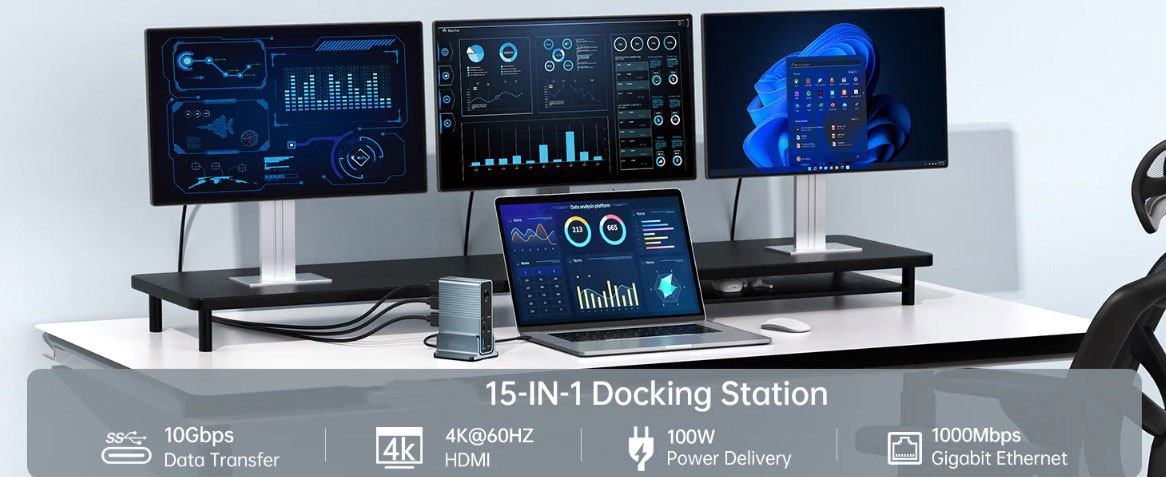
In the era where technology is fully integrated into modern life, having an intui-tive and user-friendly interface is more crucial than ever. In the academic field, students often need to switch between multiple windows, applications, and devices to keep up with their studies. This is where USB-C hubs come into play, making device connectivity easier and enabling more simultaneous activities. This article aims to help readers gain a deep understanding of USB-C hubs, explore their practical value in the classroom, and learn how to choose the most suitable one.
The Close Connection Between Students and USB-C Hubs
Nowadays, as digital platforms play an increasingly important role in the classroom, students need to connect various devices, such as monitors, keyboards, printers, and external hard drives. USB-C hubs, with their rich ports and excellent universal interoperability, have become key devices in the classroom environment. They can transform a single USB-C port into multiple usable ports, providing a centralized connection point for various devices.
A Comprehensive Introduction to USB-C Hubs
Definition and Educational Significance
First, let's define what a USB-C hub is and explore its significance from an educational perspective. Portable USB-C hubs are multifunctional, featuring passive charging, additional USB-A connections, HDMI, Ethernet, SD card slots, and more. They can connect to devices through a USB-C connector.
Key Considerations for Students When Choosing a USB-C Hub
Compatibility Verification: Before purchasing, make sure the USB-C hub supports your tablet and has the necessary ports for your accessories.
Smartphone Connectivity: Given the portability and expandability of smartphones, some students use them as their sole computing device. In this case, a USB-C hub that supports smartphone connectivity is essential.
Number and Types of Ports: Students can consider buying a hub with multiple USB 3.0 or 3.1 connections for high-speed data transfer, depending on the number and types of devices they plan to use. Connecting an external monitor or projector requires an HDMI connector. Although Wi-Fi is widespread, a more stable internet connection can be obtained through the device's Ethernet connector, which is particularly useful for online courses and exams.
Portability and Compactness: Since students often need to move around, a lightweight and compact hub is highly beneficial. It can be easily hidden in a wallet or jacket pocket for convenient carrying. Meanwhile, a sturdy and durable design can meet the demands of daily use.
Installation Guide for USB-C Hubs Suitable for Students
1、Device Connection: Connect the USB-C hub to the device you intend to use as your main computer, tablet, or smartphone. The devices that need to be connected to the hub must have a USB-C port, such as laptops, tablets, and smartphones. The USB-C cable that comes with the hub has a micro-reversible connector that can be inserted in either direction. Just find the port and plug it in.
2、Port Confirmation: Locate the port on the device that corresponds to the USB-C interface of the hub and gently insert it. When the connection is successful, you will hear a click sound or see a notification on the screen indicating that a new device has been added.
3、Peripheral Connection: After confirming that the hub is connected to the device, you can start plugging in the peripheral devices you need, such as external monitors, printers, mice, keyboards, and hard drives. Most peripherals are connected through USB-A interfaces. HDMI outputs, Ethernet interfaces, and SD card slots can meet the needs of other peripherals, as well as networking and storage. Find the corresponding hub port and insert the cable.
4、Display Settings: If you are using an external monitor and it does not automatically mirror or extend your screen, you need to change the display settings of your device. For Windows system users, right-click on the desktop and select "Display settings". For Mac system users, select "Displays" under "System Preferences". Try to find an option that includes "Mirror Displays" (shows an exact copy of the main screen on the external monitor) or "Extend Displays" (treats the external monitor as a second main screen), and choose the resolution that suits you best.
Tips for Enhancing Students' Experience with USB-C Hubs
1、Cable Management: Keeping your workstation tidy and clutter-free is essential for improving work efficiency and ease of use, especially when there are many devices and cables around you. Cable clips, cable organizers, and cable sleeves are just some of the cable management tools that can be used to bundle and secure connections. This will make your workspace look neater, prevent cables from getting tangled, and make it easy for you to find the cables you need.
2、Regular Cleaning: Like all electronic products, proper maintenance of your USB-C hub can ensure its optimal performance. Ports are prone to being clogged with accumulated dust and debris. Regular cleaning can reduce this problem. It is recommended to use compressed air or a small brush to clean the ports. Before cleaning, make sure the hub is turned off and unplugged.
3、Safety Protection: Ensuring the safety of your gadgets and their accessories is of utmost importance. Use sturdy and well-maintained cables to avoid cable damage affecting the normal operation of devices and the safety of the wires. High-quality portable cases and surge protectors can protect your hub from accidental voltage drops and physical damage during movement.
Conclusion
USB-C hubs are becoming increasingly important in today's digital classrooms due to their superior connectivity, portability, and efficiency. Personal needs and budget determine the most suitable type of hub. However, no matter which one you choose, USB-C hubs will simplify and improve students' digital learning lives.